Helping expensive tickets sell on a community ticket marketplace
Theatr is a peer-to-peer marketplace where New York theatre fans resell last-minute tickets at or below what they paid. As its sole product designer, I redesigned buying and selling across iOS and web, from listing and pricing to offers and ticket transfer, and built the design system behind it.
Problem
The marketplace worked, but tickets above $100 often expired unsold, especially ones posted the day of the show.
Outcome & Impact
20K
Monthly active users, up from 6K (2023–2025)
4.9★
App Store rating from 2.3K ratings
4
Features shipped to help expensive tickets sell: price suggestions, welcome offers, price-drop nudges, counteroffers
4
Press features: The New York Times, Forbes, NPR, Vulture
Role
Product Designer
Timeline
2023–2025
Team
Founder, 1 engineer, me (the only designer for about a year)
Platforms & Tools
iOS, web · Figma, Notion
Improving a marketplace that already worked
When I joined, the marketplace was already live. My job was to improve the UX, make transactions smoother, and drive more sales, especially from the seller’s side.
Brief to handoff
The founder set the roadmap and defined each problem. I owned the solution, from research and design through handoff to our one engineer.
Weekly releases
Features shipped weekly, on real-time deadlines. I was the only designer for about a year.
How might we help expensive tickets sell faster?
Tickets above $100 sold less often and often expired unsold, especially ones posted the day of the show. Sellers set prices with no market reference, and when a buyer offered too low, they could only accept or decline, so they lost the buyer.
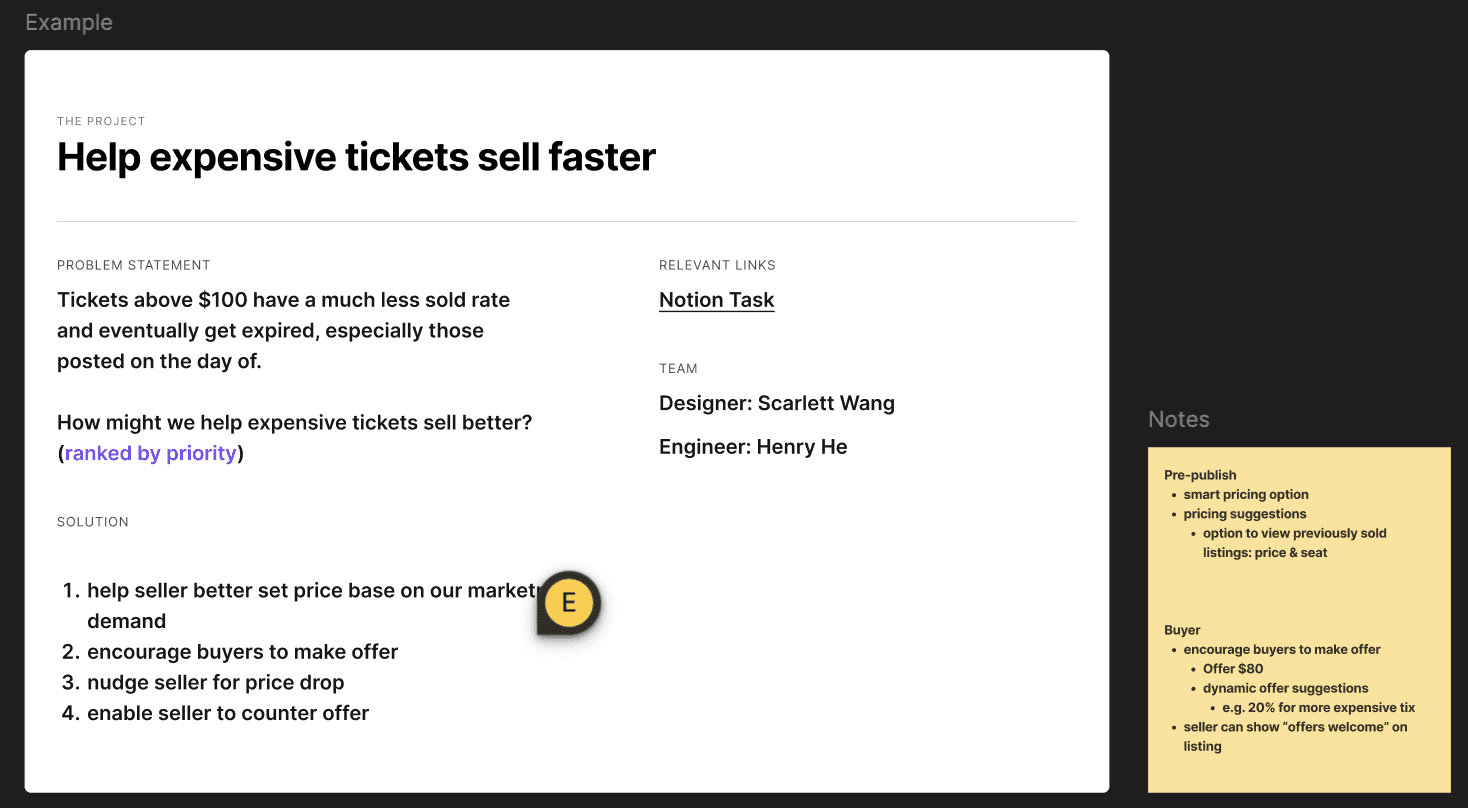
The brief, with solution directions ranked by priority
Prices are capped at face value
Sellers can’t list above what they paid, so pricing help only ever means how far below to go.
Limited data for dynamic pricing
Our pricing data model was still in development, so recommendations had to work with what we had.
I looked at how resale apps like Depop and XianYu show pricing guidance and handle offers without overwhelming sellers.
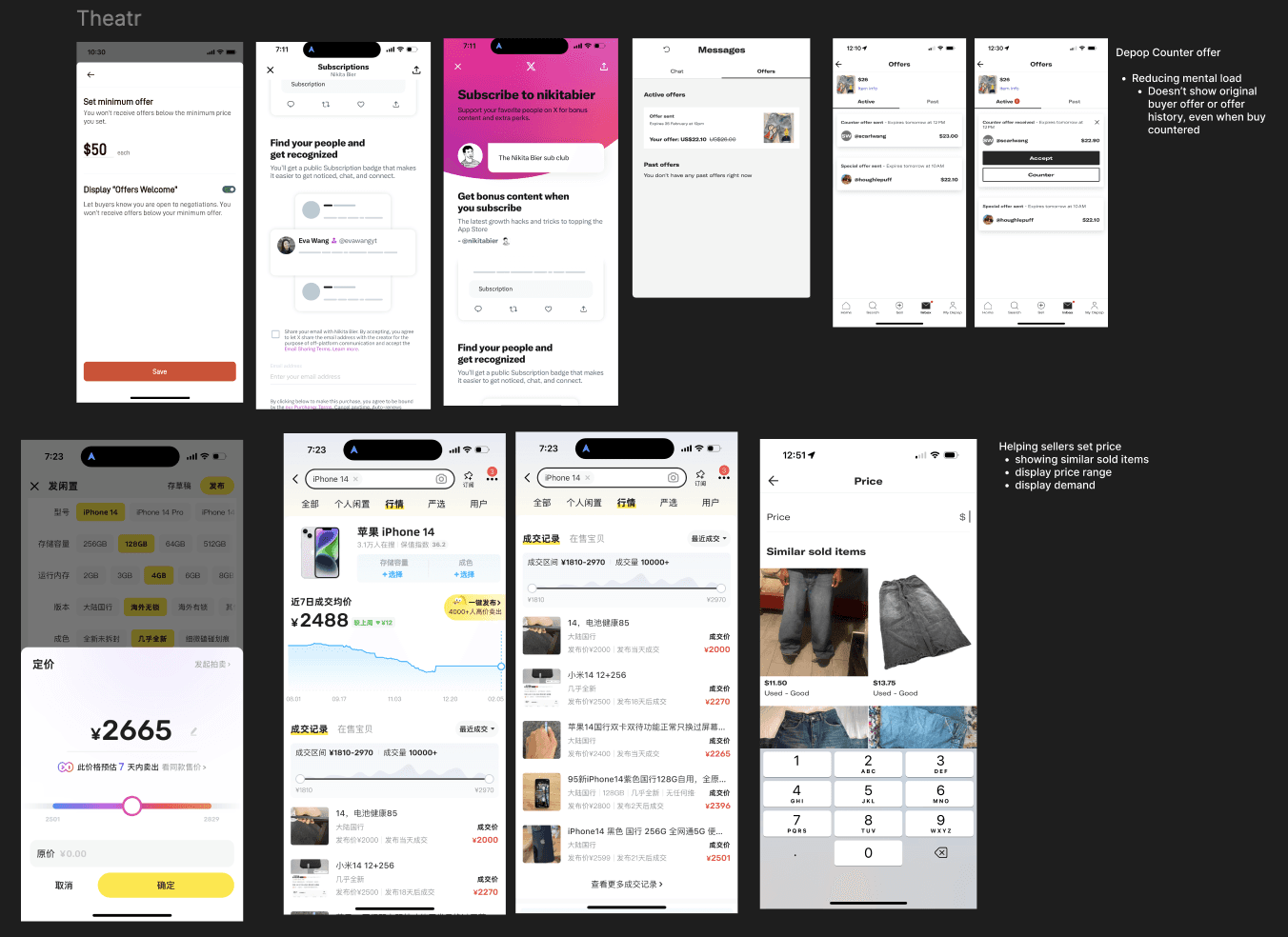
References: Depop, XianYu
Four levers across the life of a listing
No single feature would fix this, so I designed one for each point where a sale could stall. All four shipped.
Price suggestion
Show what similar tickets sold for, before the seller sets a price.
Welcome offers
Invite buyers to make an offer on expensive tickets instead of passing.
Price-drop nudges
Remind sellers to lower their price as the show gets closer.
Counteroffers
Let sellers counter a low offer instead of losing the buyer.
01 · Price suggestion
While setting a price, sellers see the range most tickets for the same show sold for, with a link to compare similar sold listings.
- The range is the 30th to 70th percentile of sold prices for the show. With limited data, a range and real comparables were more reliable than one predicted price
- Similar sold listings show up to 10 tickets for the same show at a similar original price, and how long before the show each one sold
- Inline feedback flags a price above what the seller paid, which our community rule blocks
- Offer settings sit in the same flow: the minimum offer defaults to 50% of the original price, and welcome offers turn on by default for tickets over $100
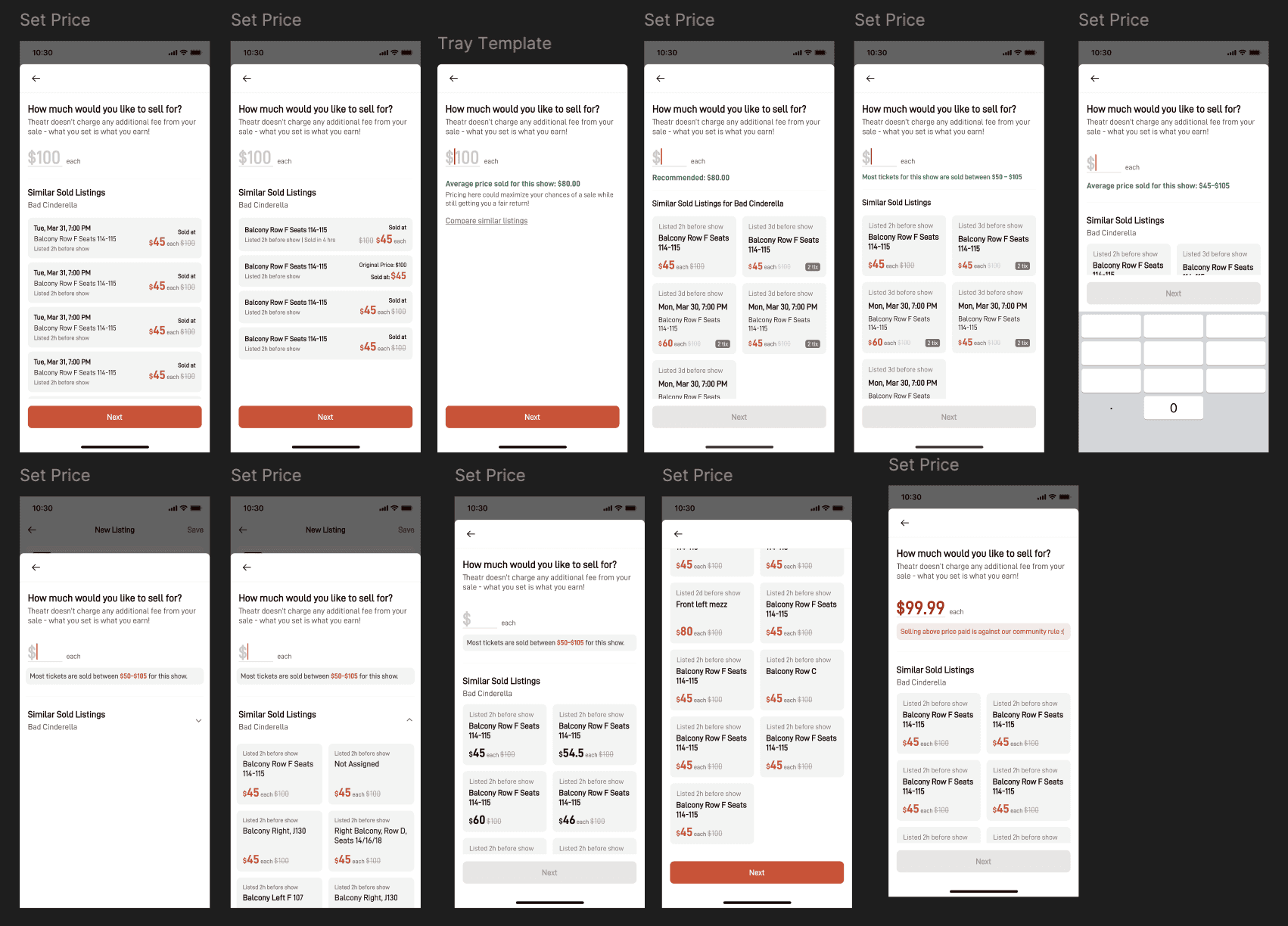
Set Price iterations
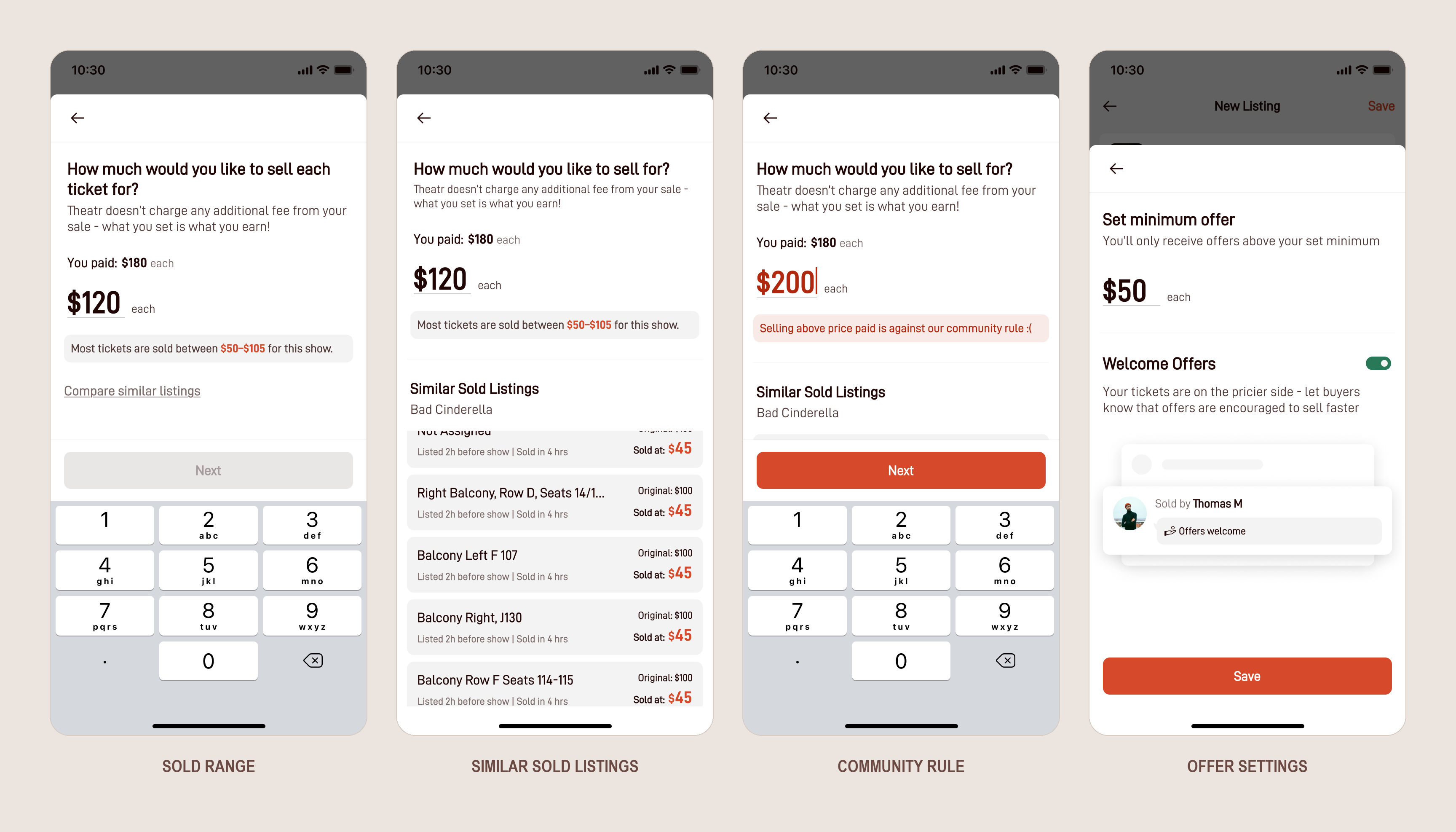
Shipped: sold range, similar sold listings, community rule, offer settings
02 · Welcome offers
On listings over $100, an “Offers welcome” tag and an animated Offer button invite buyers to negotiate.
- The offer tray suggests amounts below the asking price, so buyers don’t have to guess what’s reasonable
- The seller’s minimum offer filters out lowball offers before they arrive
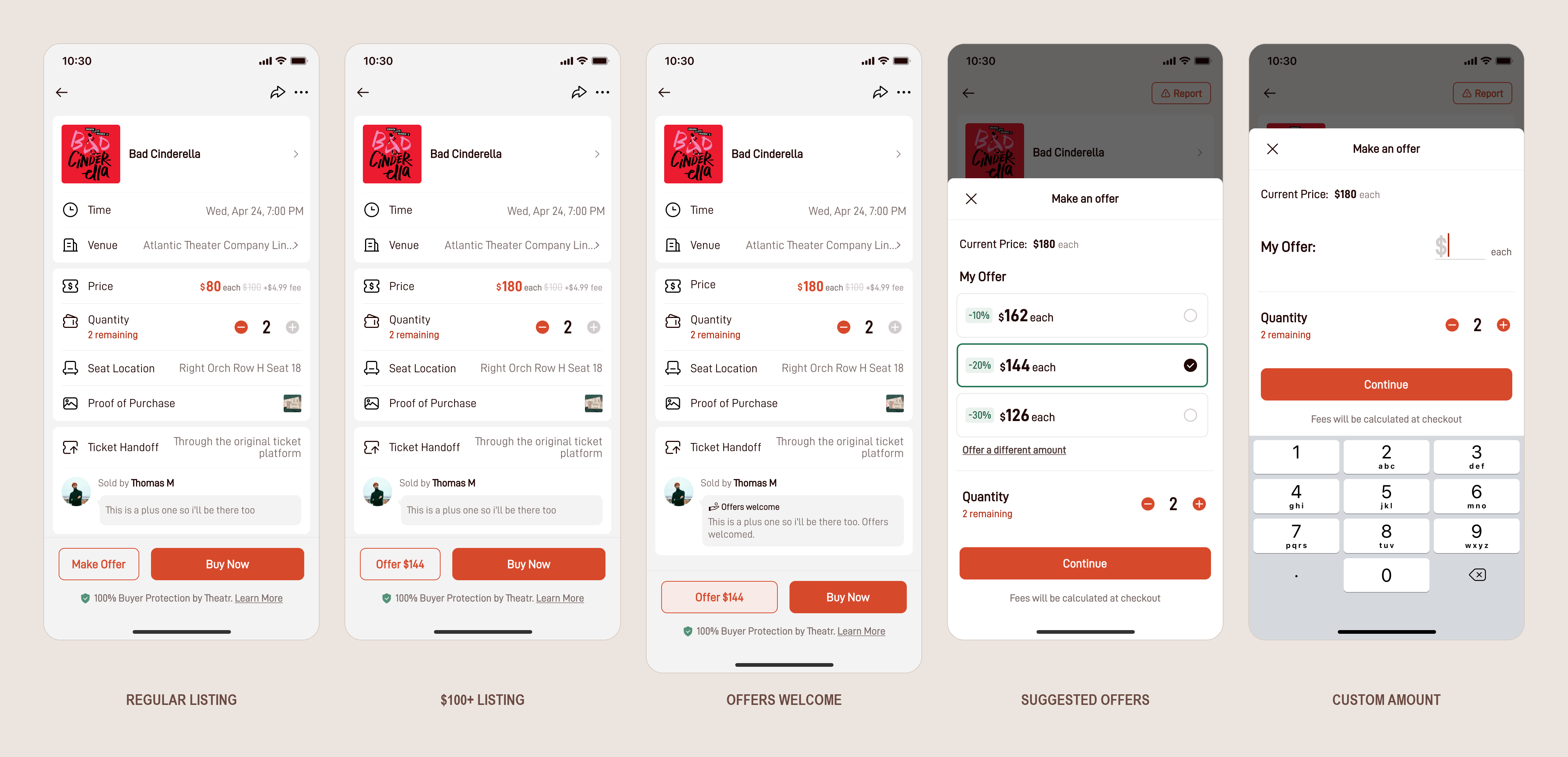
Shipped: welcome offers on a $100+ listing, and the offer tray
03 · Price-drop nudges
Push notifications reach sellers when unsold tickets usually stall: a week, 3 days, 24 hours and 9 hours before the show.
- Copy uses listing views to show demand, e.g. 34 people viewed your listing in the past hour
- A price drop boosts the listing to the top of the marketplace
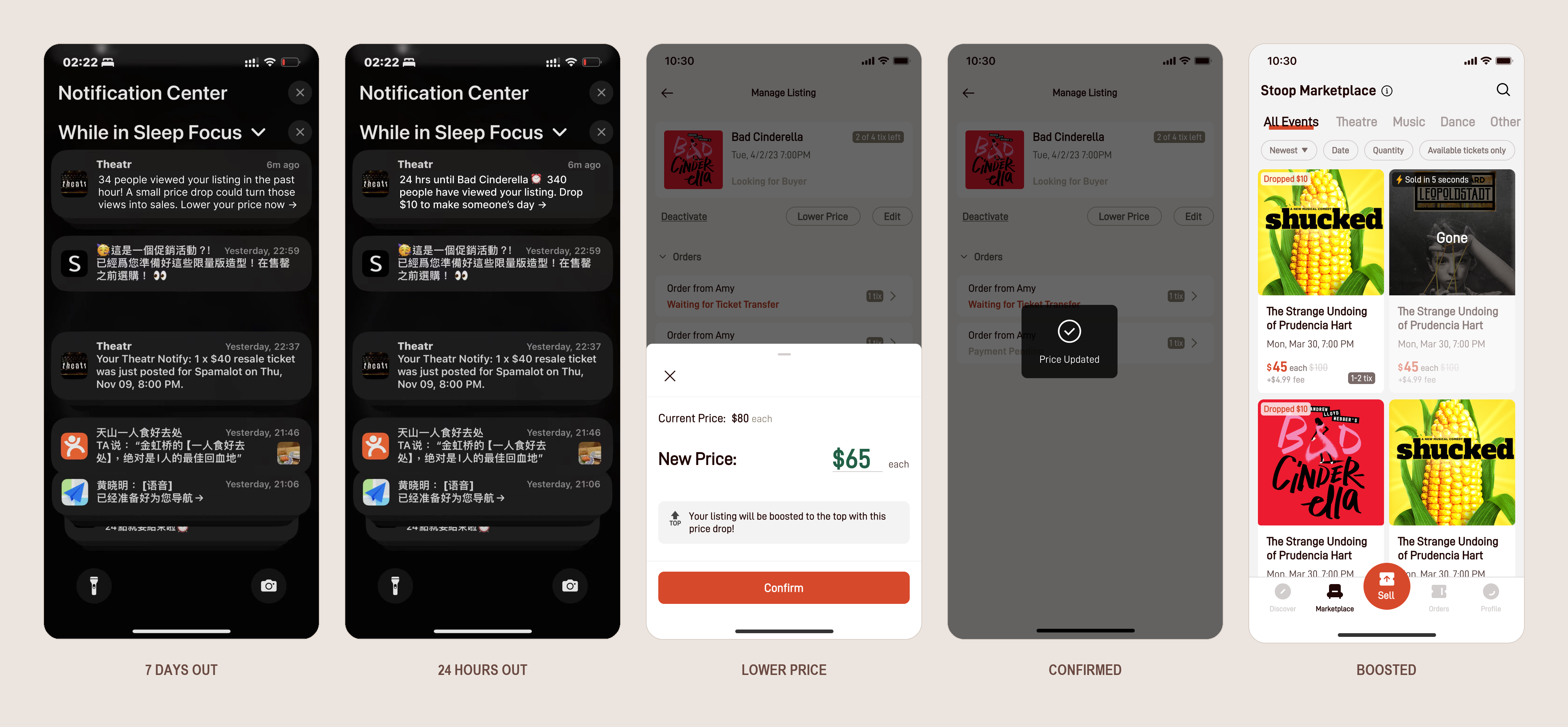
Shipped: from notification to boosted listing
04 · Counteroffers
Sellers used to lose interested buyers to low offers. Counteroffers let them name a price instead.
- Showing every past offer would help sellers read demand, but most tickets sell last minute, so I hid past offers on a separate page and put offers needing action first
- Active offers rank by action required, then highest price per ticket, then expiring soonest
- I removed the per-ticket price next to the total, which drew attention to the service fee
- Offers decline automatically if the listing sells or runs out of tickets, and buyers get a reminder after 1 hour
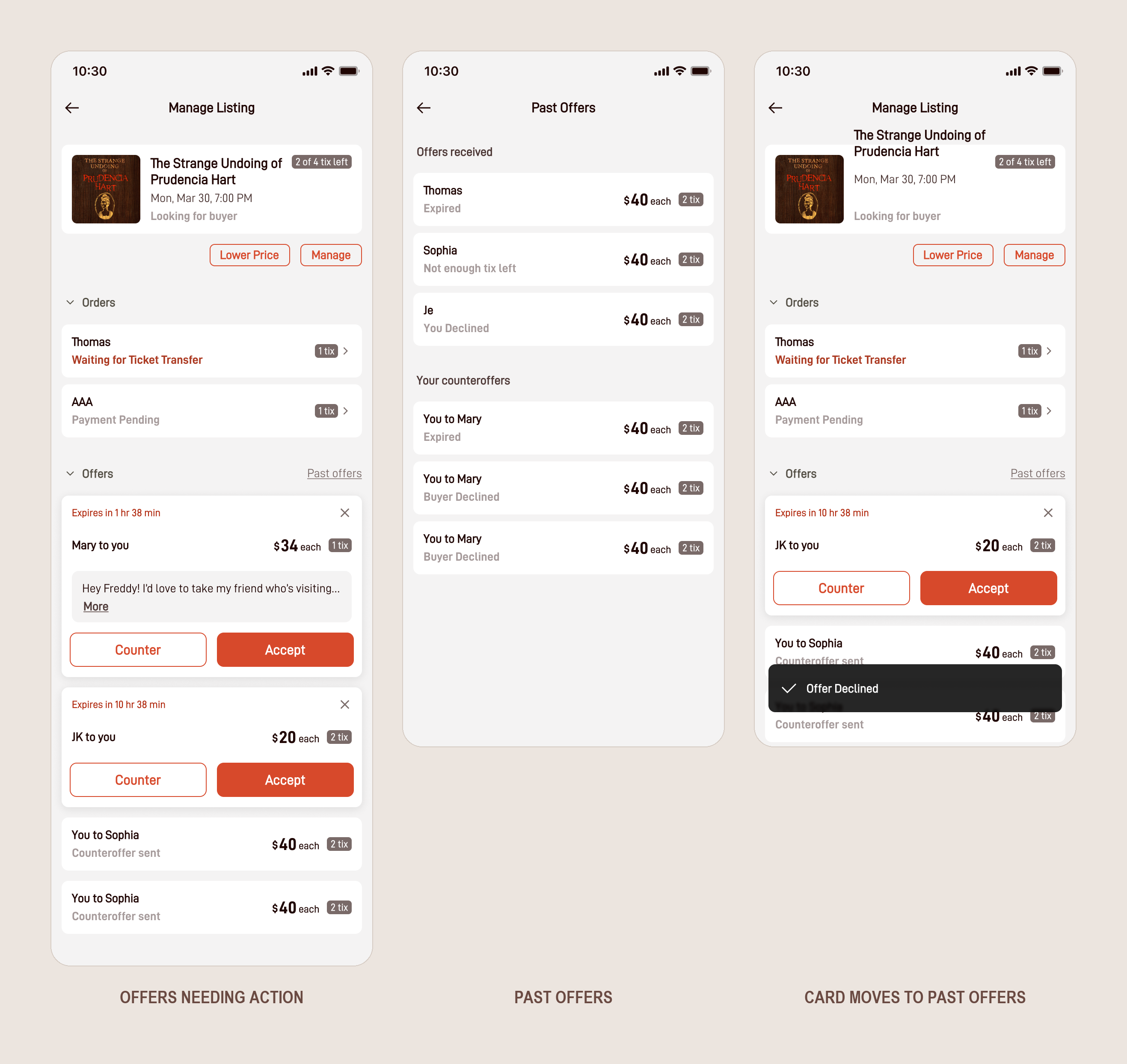
Shipped: offers needing action first, past offers on their own page
App Store review
“Never used the app to sell before, but was able figure it out and sold all 4 tickets in 10 minutes.”
A first-time seller, 70 minutes before showtime.
Systems and features, often in the same week
Trust & safety
Karma reputation system, ticket transfer flow, buyer and seller reviews
Discovery & engagement
Onboarding, playlist-style watchlists, price alerts, show pages
Systems
Design system and component library, web MVP launch

Checkout & Karma

Price alerts
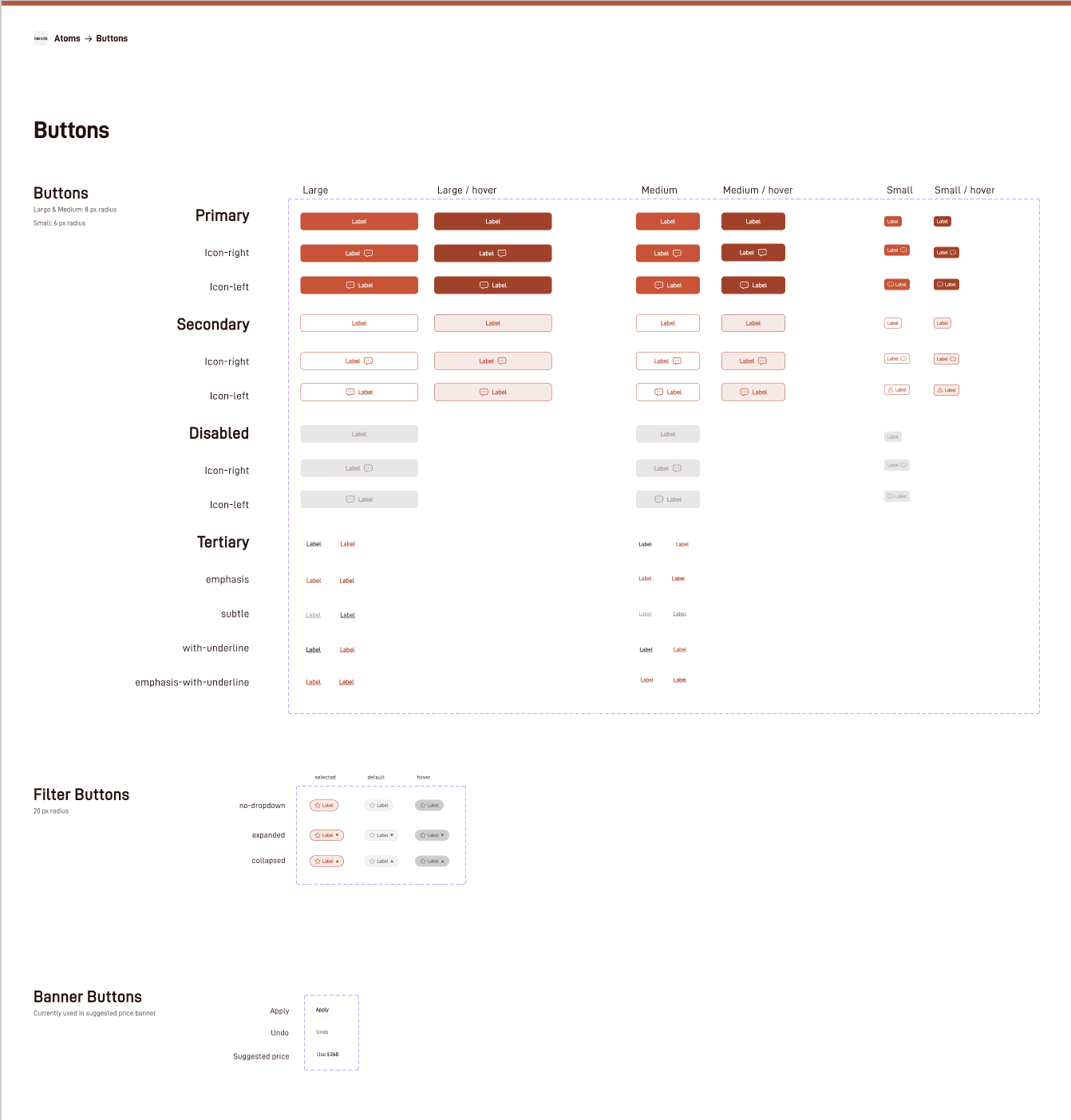
Design system
App Store review
“They allow for price point notifications whenever someone posts for a show you are interested in allowing for a quick and easy purchase.”
A marketplace the community trusts
App Store review
“The interface is very user friendly and I love that the buyers now pay via the app to help weed out any potential scammers.”
Featured in




Sole designer for a growing marketplace
Four ways to help tickets sell
Price suggestions, welcome offers, price-drop nudges and counteroffers, all shipped.
A safer way to trade
Karma reputation, reviews, and a ticket transfer flow with in-app payment protection.
A design system
A component library that kept iOS and web consistent.
A web launch
The web MVP, bringing the marketplace beyond the app.
What I learned
One problem, many touchpoints
A sale can stall at listing, browsing, waiting or negotiating. Designing for each of those moments did more than any single feature could.
Designing with limited data
Without a mature pricing model, I used ranges and real comparables that sellers could trust, so recommendations could get sharper as the data improved.
Shipping weekly as the only designer
With weekly releases, reusable components and annotated handoff files let me move from one problem to the next without slowing our engineer down.